

How to Renew Your 2027 Season Tickets

1. Check Your Inbox
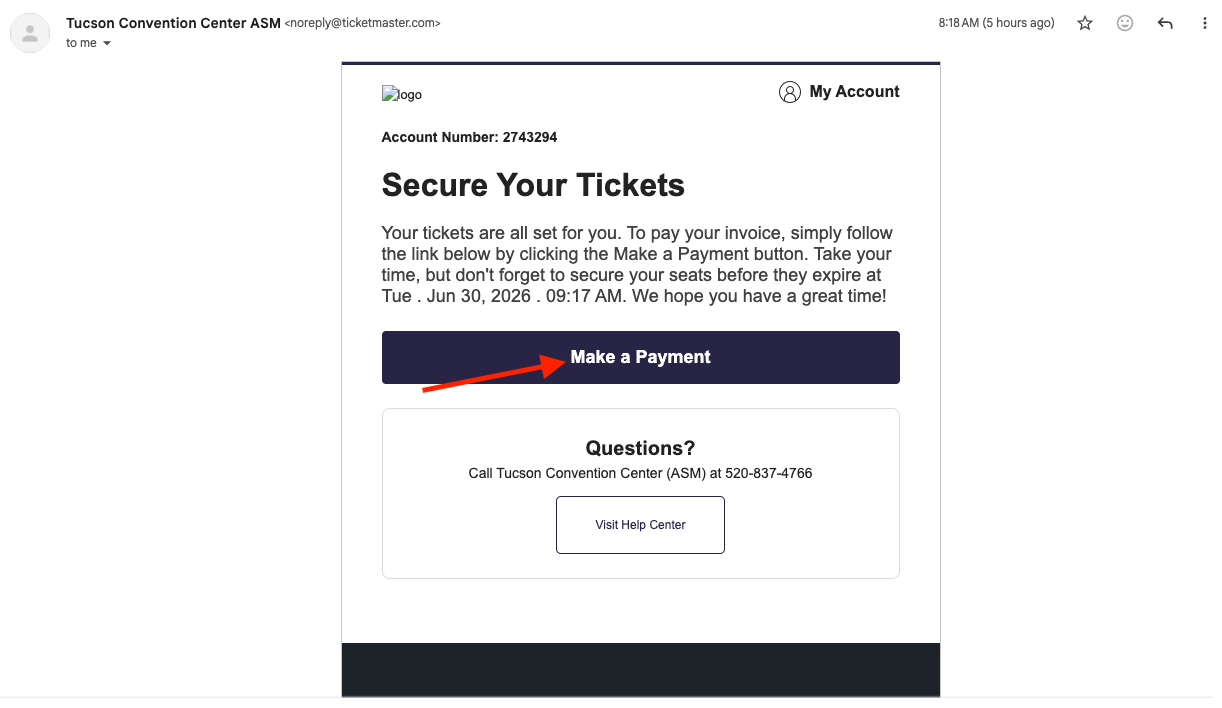
Look for an email from Tucson Convention Center ASM at noreply@ticketmaster.com.
Pro Tip: If you don’t see it, check your spam, junk, or promotions folder.
2. Click “Make a Payment”
Click the “Make a Payment” button in the email. This will take you to your secure Ticketmaster Account Manager to begin your renewal.
Didn’t receive the email?
(Click here to access your Account Manager directly) and log in to locate your invoice.
3. Find Your Invoice
If you log in directly and do not see the renewal page, click the “Invoice” tab at the top of your screen to view your 2027 season ticket renewal.
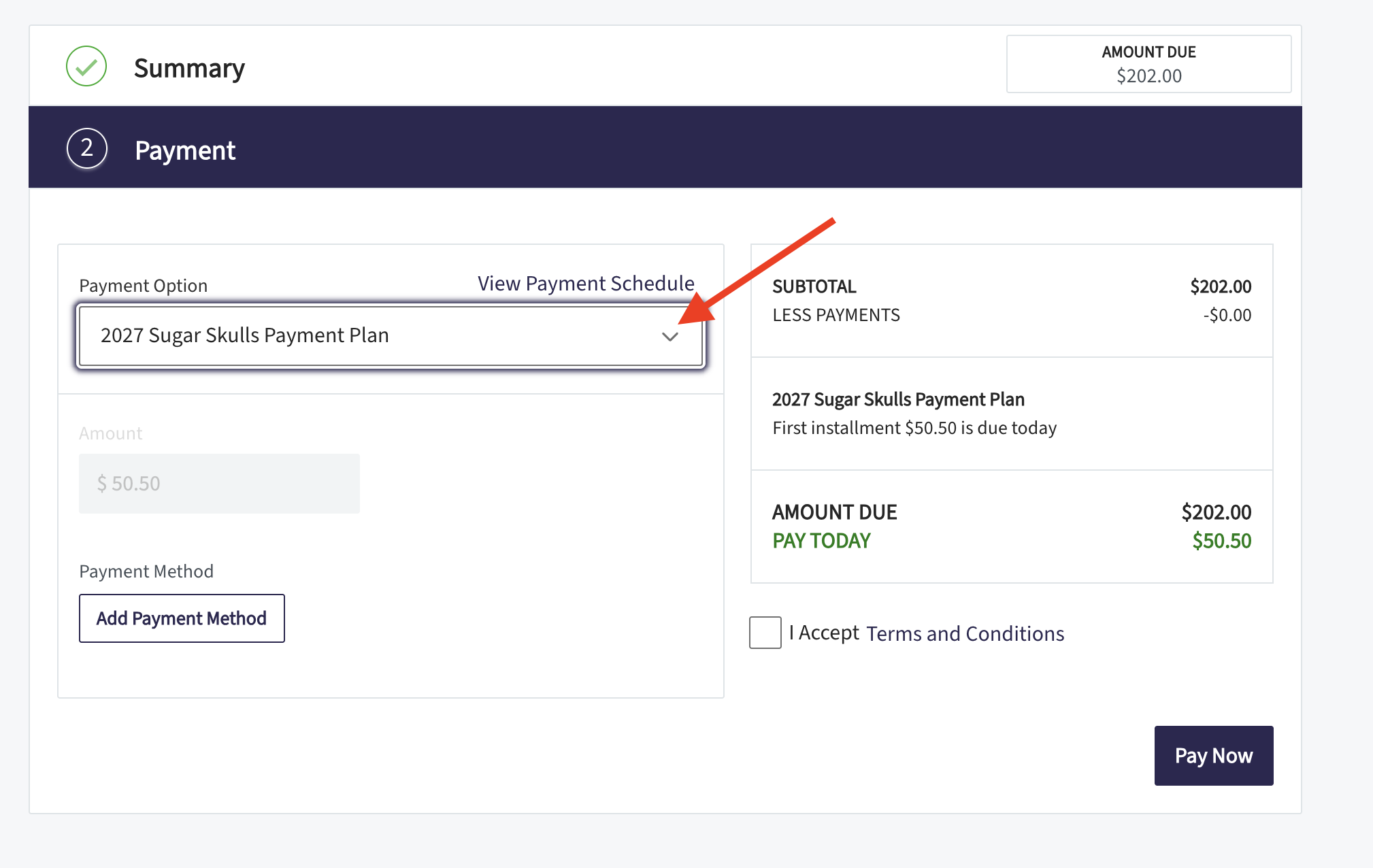
4. Choose Your Payment Option
You can choose to pay in full or use our 4-part payment plan.
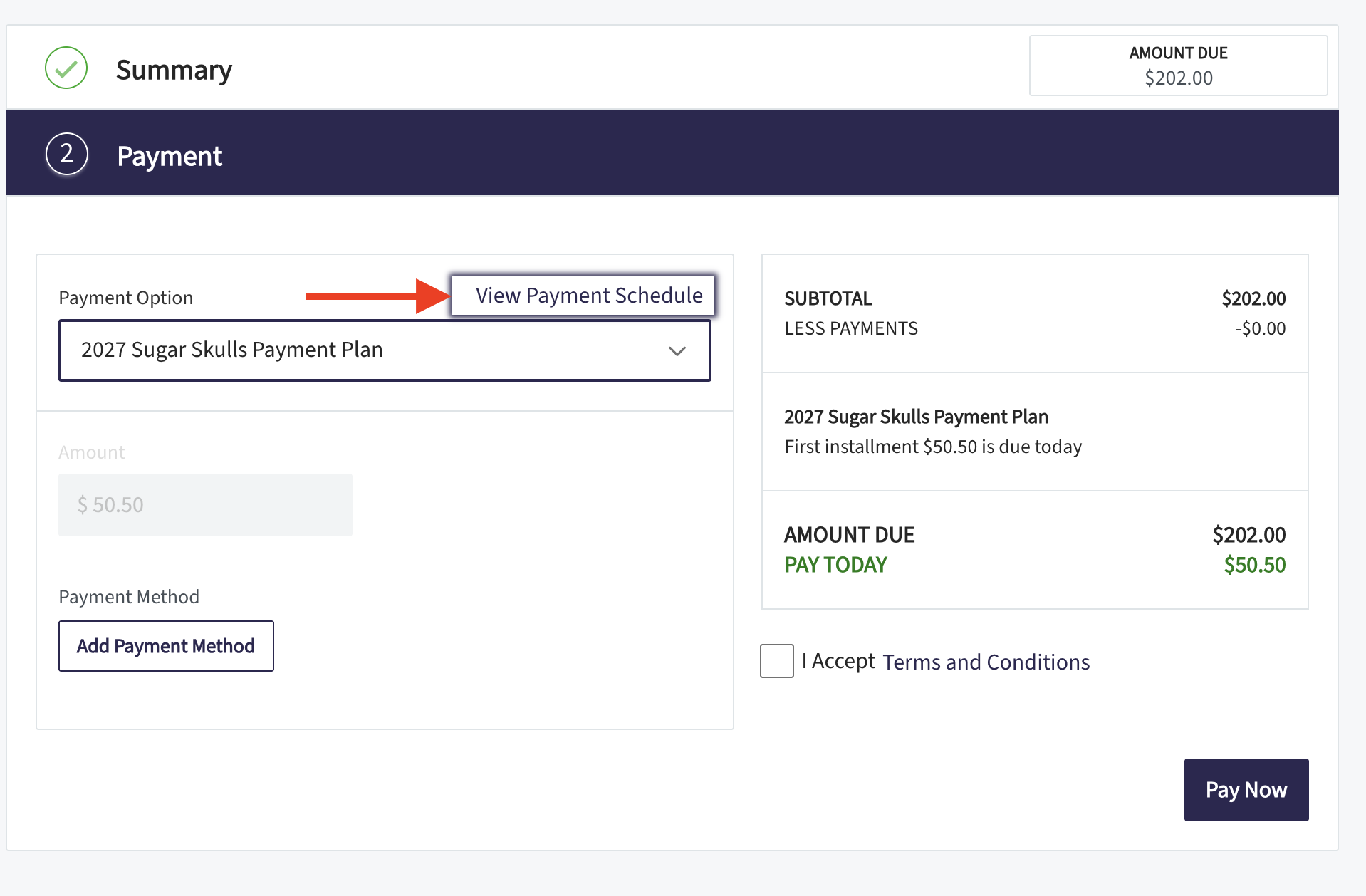
To complete your renewal, add your payment method, accept the terms, and click “Pay Now.”
Want to view the payment dates? Click “View Payment Schedule” to see when your 4 installments will be processed.
Need Assistance?
We want to make sure your 2027 season ticket experience is perfect. Please book a phone call appointment with Taz, our Director of Ticketing, if you need help with:
- Upgrading or moving your seat location
- Purchasing new season tickets
- Questions about your renewal invoice
Any Questions or Concerns Book an Appointment with Our Ticketing Director: